Cummins: Product Advisory Operating Model
Connecting product decisions to a complex digital ecosystem.
Product advisory, experience strategy, and platform design
Cummins’ digital products needed to serve customers, OEMs, and distributors, each with their own priorities and expectations. Customers usually started with marketing, then went through registration, and finally used a product platform with its own navigation and technical needs. My goal was to make these transitions smooth for users and easier for the teams supporting them.
I led the strategy and design for a unified operating model and worked with a branding agency to make it real. We aligned customer journeys, onboarding, and platform integration across business, engineering, and product teams. By mapping these journeys and making onboarding simpler, we set clear requirements for integration, data security, and multilingual support. The team created onboarding and first-login UX designs that connected marketing and sales directly to product setup. I also ensured the internal experience team had the tools and confidence to continue this work.
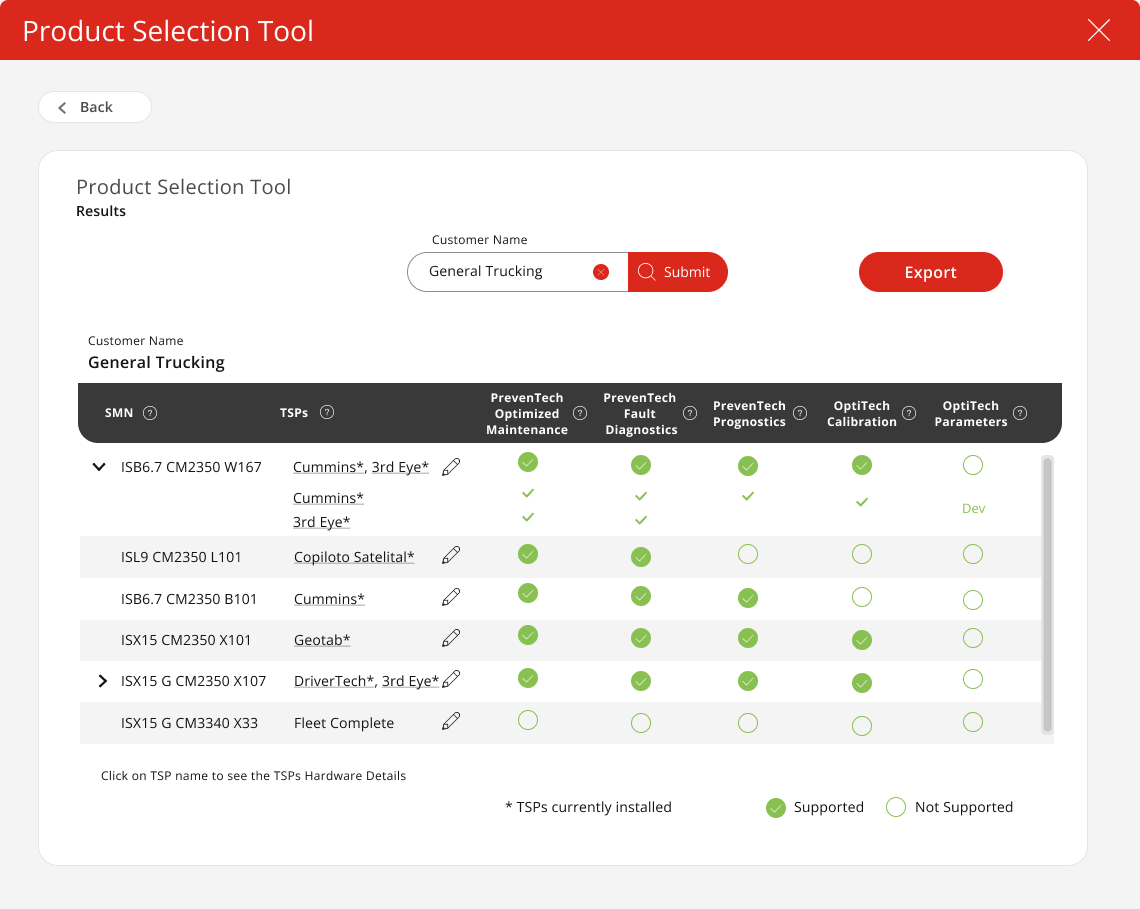
Product eligibility concept
Build a shared framework for product decisions.
The Product Advisory approach linked brand and market signals directly to product priorities, technical needs, and operational readiness. At Cummins, I helped teams put these priorities into daily practice. By clarifying roadmap dependencies, connecting initiatives to clear success criteria, and setting up cross-functional reviews and decision logs, leaders had a practical way to organize important work. Teams across product lines could move forward with more confidence, clear roles, and repeatable steps.
This approach brought product workstreams together. Onboarding, equipment eligibility, fleet monitoring, and product configuration each had their own challenges, and customers needed to move between them smoothly. Because one product decision could affect shared components, another team’s release, or the customer’s next step, the advisory model helped keep these connections clear and manageable.
Connect the first steps to the product.
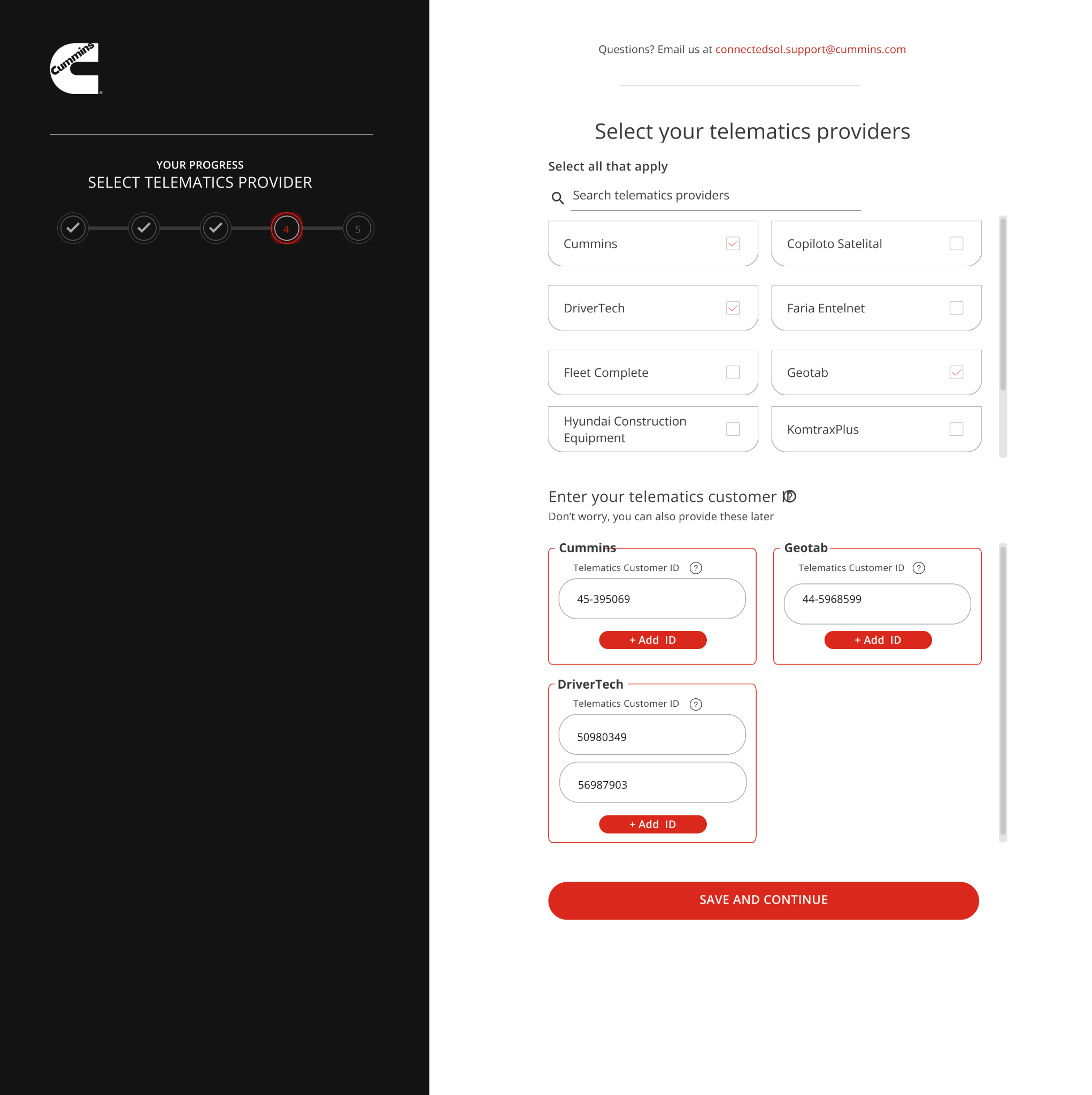
Product onboarding connected marketing, sales, and the tools customers used. Company registration, equipment setup, and notifications all needed to help people build a real relationship with Cummins’ digital products. Using the existing, proven information architecture, we added interface details that made registration, equipment setup, and notification management simple.
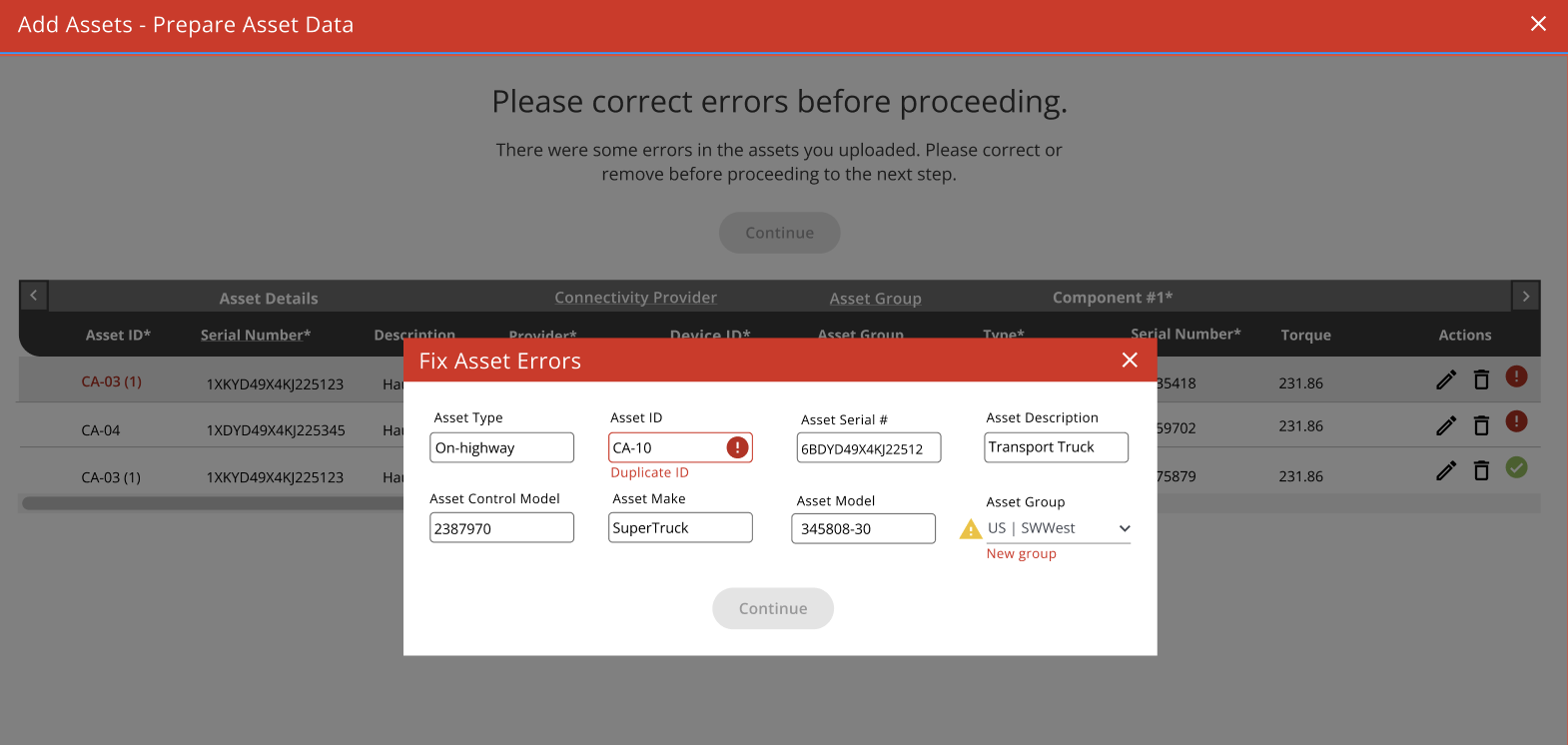
This work made it clear which decisions needed to stay consistent across the platform. To keep onboarding in line with the overall product experience, choosing a telematics provider, fixing an equipment record, and managing settings all had to work the same way across services. I worked closely with product and development partners to define these connections, align onboarding with the Zeus Design System, and support both current needs and future growth.
Product onboarding
Equipment setup
Turn technical rules into practical tools.
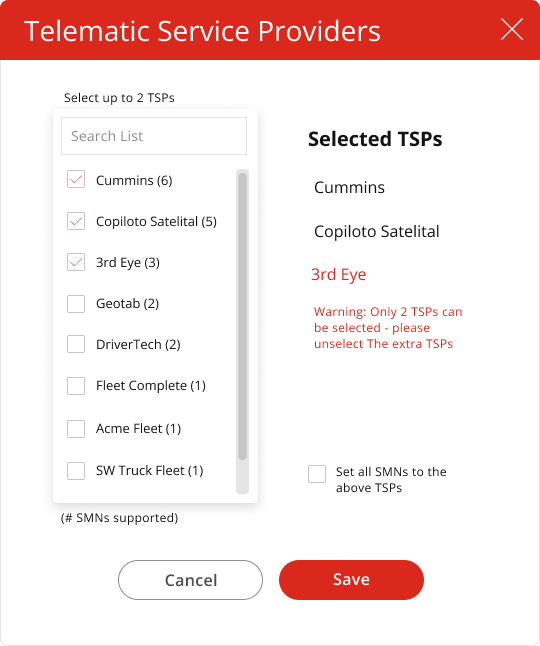
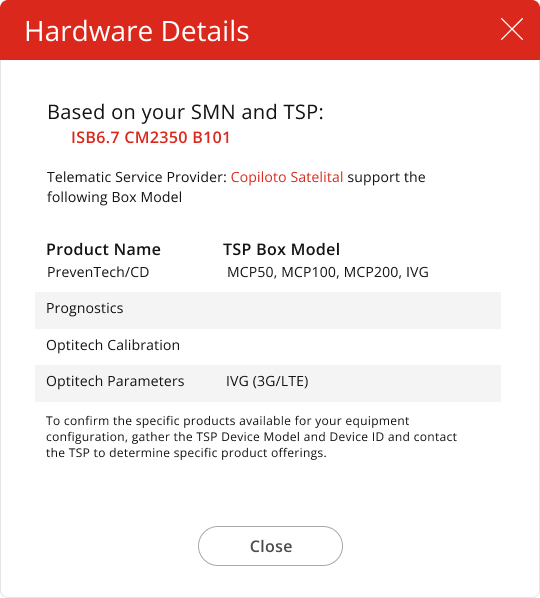
The Product Eligibility Tool gave the team a clear answer to a common question: which digital products could a customer’s equipment actually support? That answer depended on equipment identifiers, telematics providers, and compatible hardware. Account managers used this clarity to get ready for customer conversations and guide sales, linking equipment compatibility with the products they could offer.
I worked with Cummins product and IT partners to design the tool’s information architecture, user experience, and data requirements. To make the rules easier to review, we started with a spreadsheet that matched the tool’s behavior before building the full application. Early design concepts made choices and results clear, giving product and IT partners something concrete to review and improve before the full build.
Provider constraints
Compatible hardware
Make sure complex products stay connected.
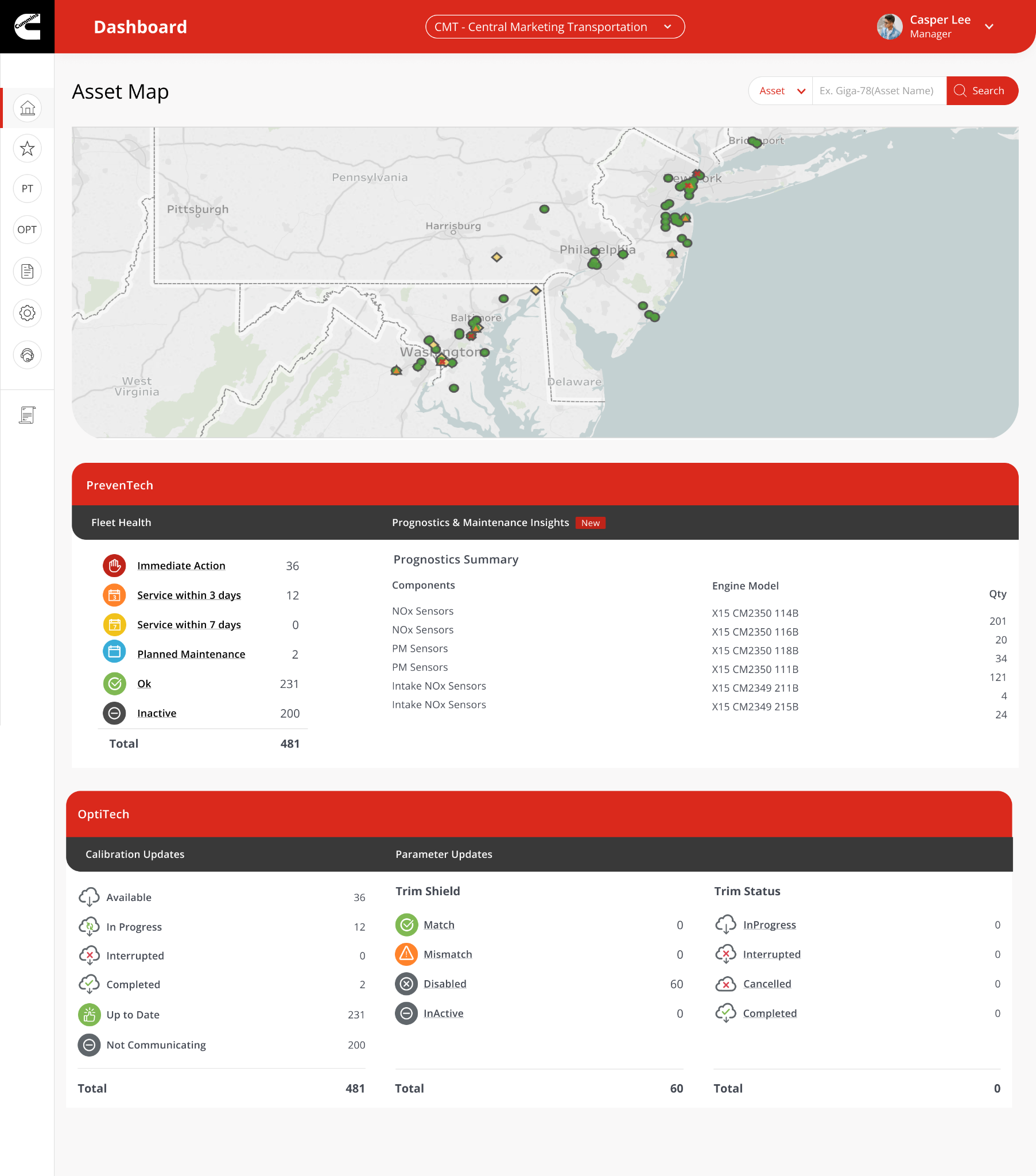
The early PrevenTech design vision brought fleet health, equipment details, notifications, and customer support together in one place. As requirements became clearer, we held regular work sessions with product partners to keep teams aligned. These meetings built a shared understanding of priorities and helped us work through the details. When user testing was difficult to arrange, a demonstration prototype let us gather early feedback and make small design changes, showing us the next steps.
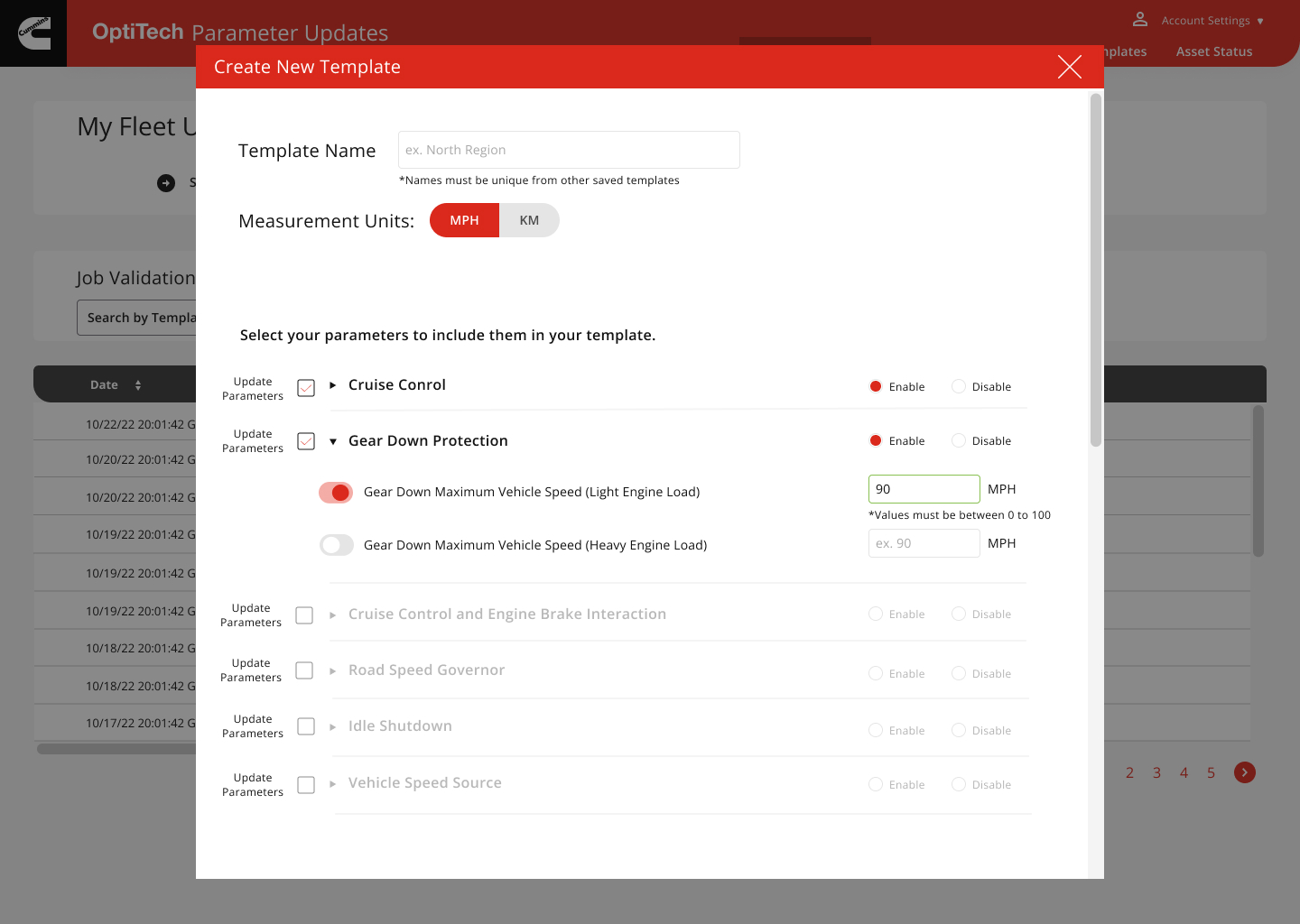
OptiTech added another layer of integration. Its configuration and update workflows needed to fit into the larger PrevenTech experience and support several releases. We clarified how design, shared components, and development priorities worked together. This gave teams a practical plan to deliver smaller feature sets and move steadily toward the bigger vision, connecting each step with the final integration into PrevenTech.
PrevenTech design vision
OptiTech configuration design
Develop the skills to keep improving.
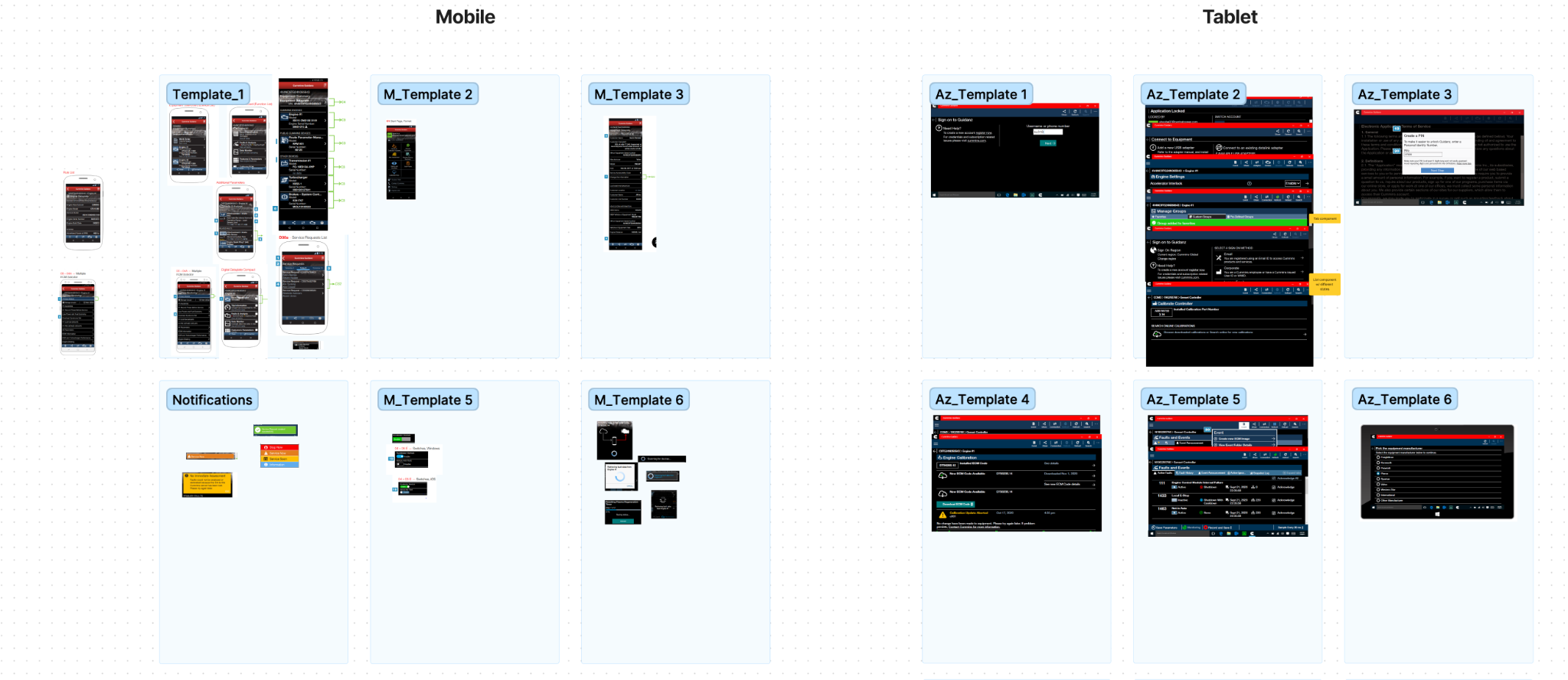
The design system linked the customer experience to how teams built it. To keep shared design libraries in sync with front-end components and the development team’s process, we helped two designers in the Guidanz workstream switch to Figma and a more consistent workflow. Coaching and hands-on design support improved delivery and team efficiency, making the process easier to maintain.
Governance turned strategy into action. With cross-functional reviews, decision logs, and clear risk ownership, teams could decide what to prioritize, pause, or remove. Using adoption and readiness feedback, I shaped and reprioritized the next set of platform improvements. Cross-functional reviews and requirement discussions gave teams a repeatable way to revisit priorities as new needs appeared.
Product advisory brings clarity to each decision and makes action easier. It gives teams a practical way to handle complexity. At Cummins, this meant connecting the customer’s journey with product requirements and the teams delivering them, then giving those teams a repeatable way to manage dependencies and make delivery decisions with less uncertainty, so progress stayed aligned with business needs.
Shared component states
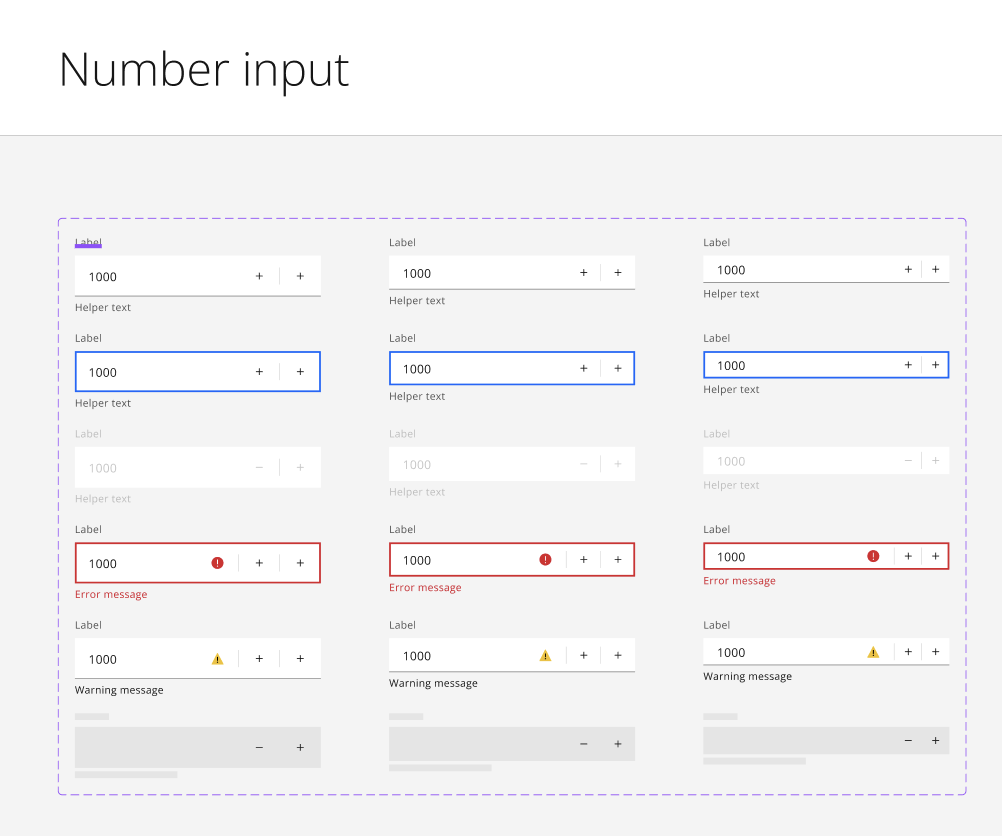
Guidanz pattern inventory
Role and collaboration
- JT Anderson
- Product advisory, experience strategy and platform design
- Dan Edwards
- Project Partner / Stakeholder · MX Group
- Susan
- Project Partner / Day-to-day Stakeholder · Cummins
- Brendan Turner
- Digital Experience Leadership / Engagement Partner · MX Group
- MX Group and Cummins teams
- Product design, design-system and delivery collaboration